Yumval Doc Single Page
TNJ Blocks is a plugin that extends WordPress’s core functionality. It integrates a framework CSS, TNJ tokens, TNJ layouts, TNJ fragments, and various custom blocks to enable efficient and flexible page building. This section explains these key fundamental concepts.
Traditional Block Editing vs. New Features of TNJ Blocks
In addition to the traditional editing in WordPress’s block editor, TNJ Blocks offers the following features:
- You can set IDs, framework CSS, and HTML attributes for standard blocks.
- TNJ Blocks’ custom blocks enable advanced content creation
Framework CSS
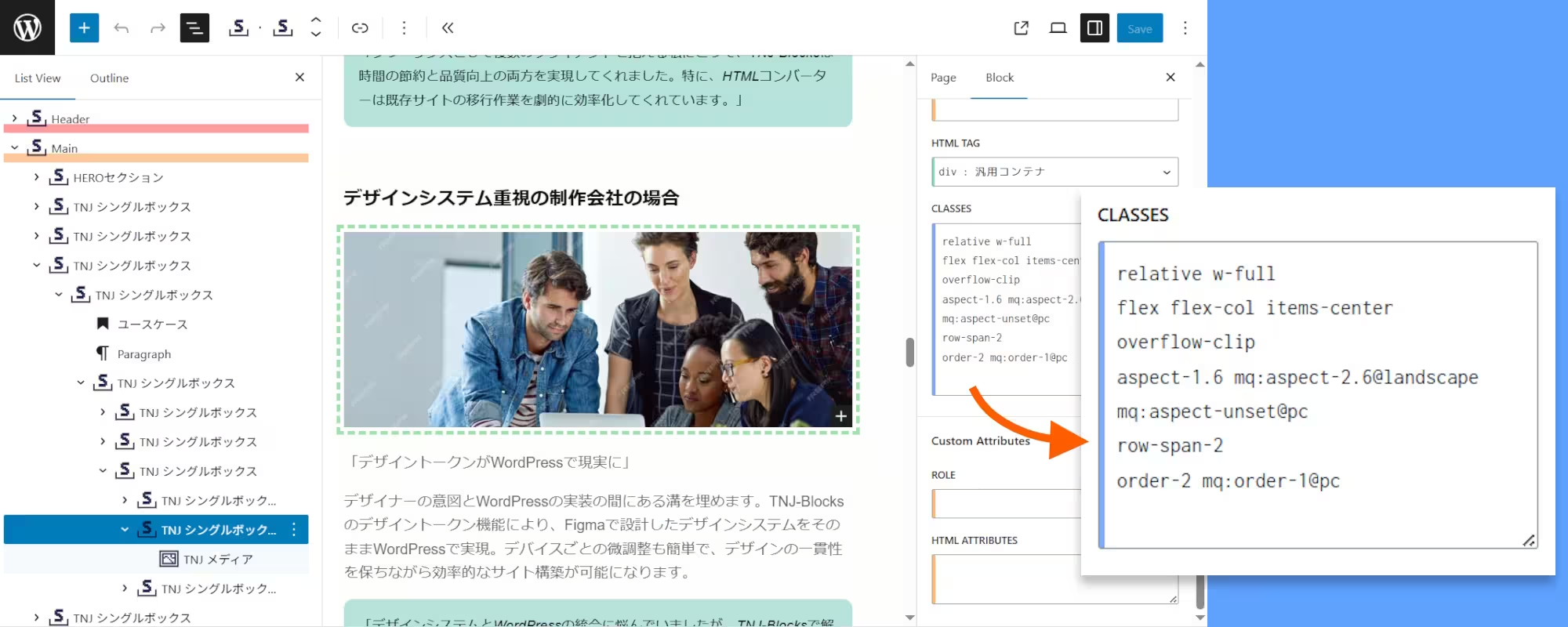
- When you set framework CSS for a block in the block editor, it is immediately reflected and can be visually confirmed.
- TNJ Blocks provides design token setting functions to make it easier for designers to use
- Framework CSS supports media queries and container queries, enabling fully responsive design.
TNJ-Tokens
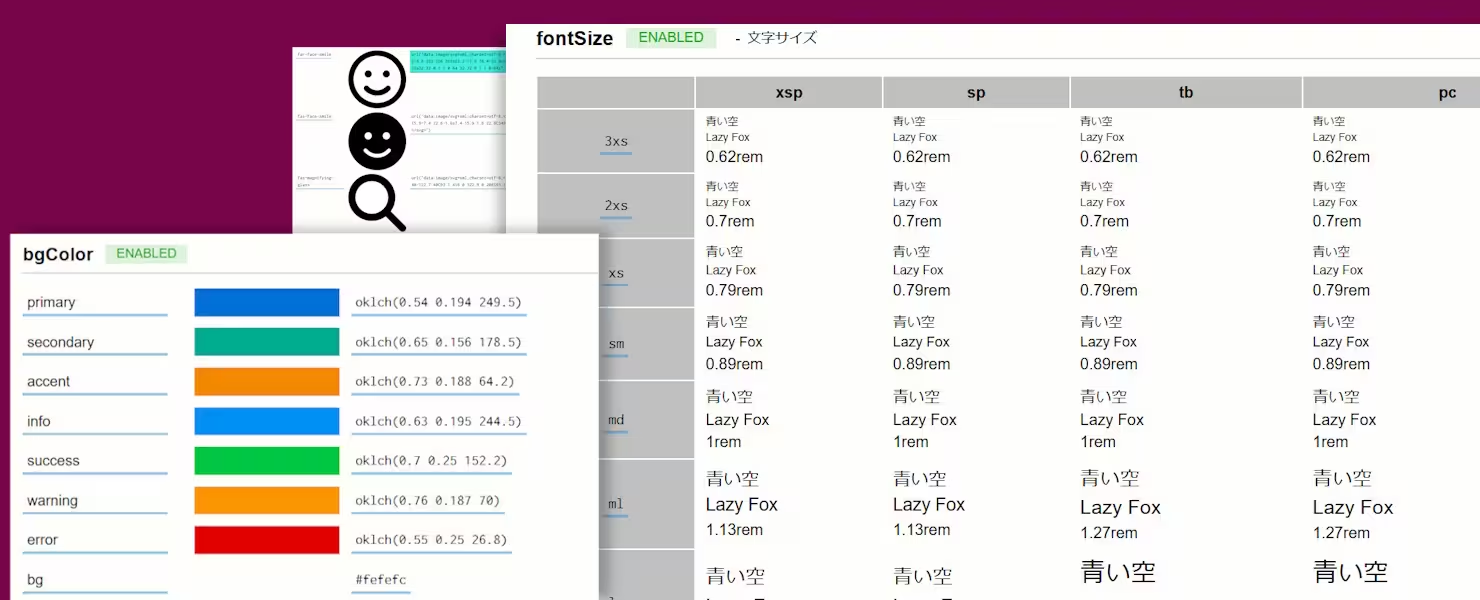
- TNJ-Tokens are a mechanism for centrally managing design values across the entire site, such as colors, font sizes, and spacing sizes.
- By specifying the TNJ-Token’s variable name in the CSS framework, you can implement a structure with clear meaning and functionality.
- Some TNJ tokens allow you to set values for each screen size breakpoint, enabling styles to adjust automatically based on screen size.
- You can create multiple TNJ-Tokens on a single site. By specifying a TNJ-Token from the TNJ-Layout, you can apply different designs to each page.
- TNJ tokens are loaded into pages as CSS files, so updates are reflected immediately across all pages.
- TNJ tokens can be exported individually as JSON files and reused in other projects.
TNJ-Layouts
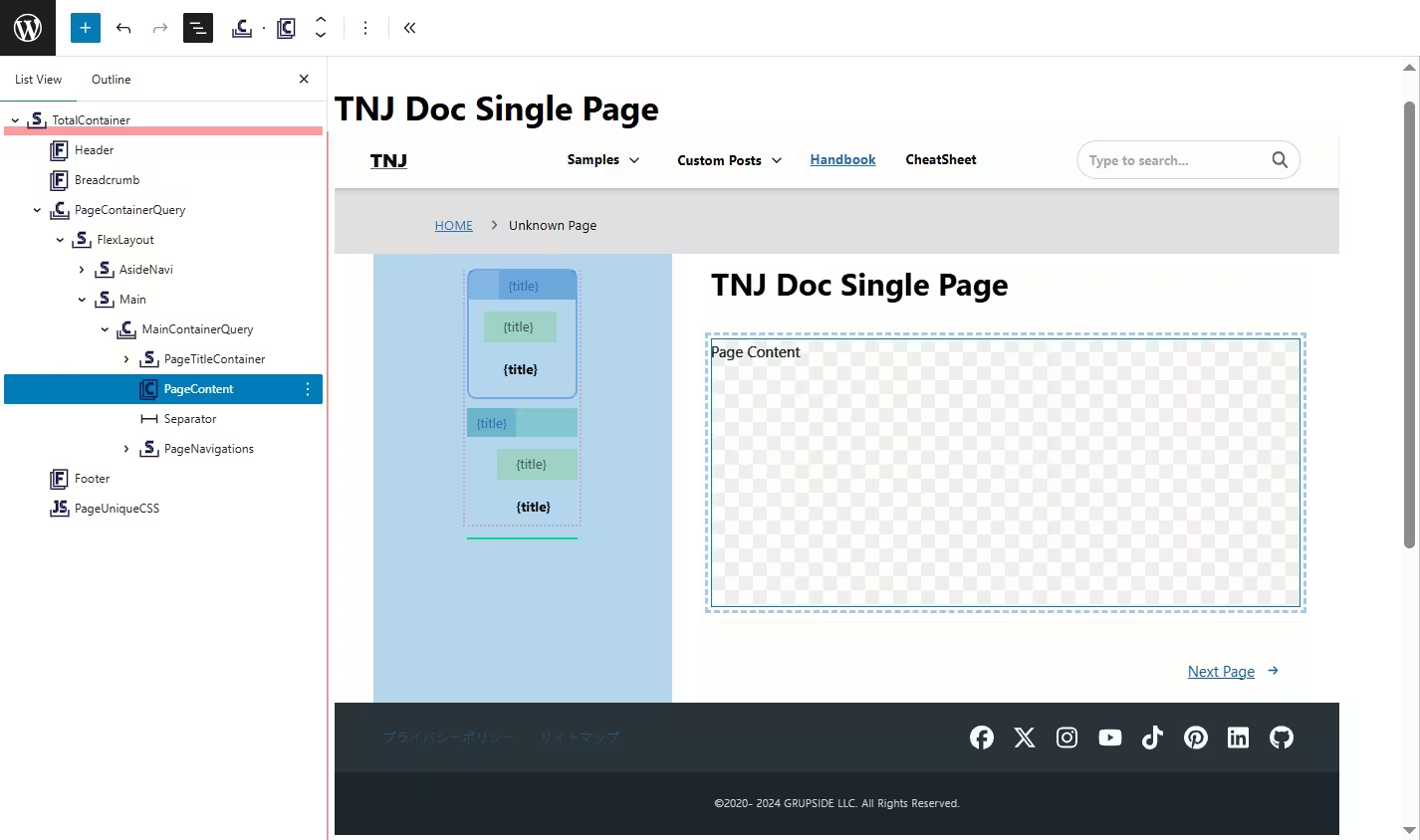
- TNJ-Layout is a feature that allows you to create and edit standard layout templates for each page type.
- TNJ-Layout will enable you to implement any page structure, including various posts, custom posts, archive pages, 404 pages, and search pages on the block editor.
- You can set the use of TNJ-Layout for each page type and switch to traditional PHP page templates as needed.
TNJ-Fragments
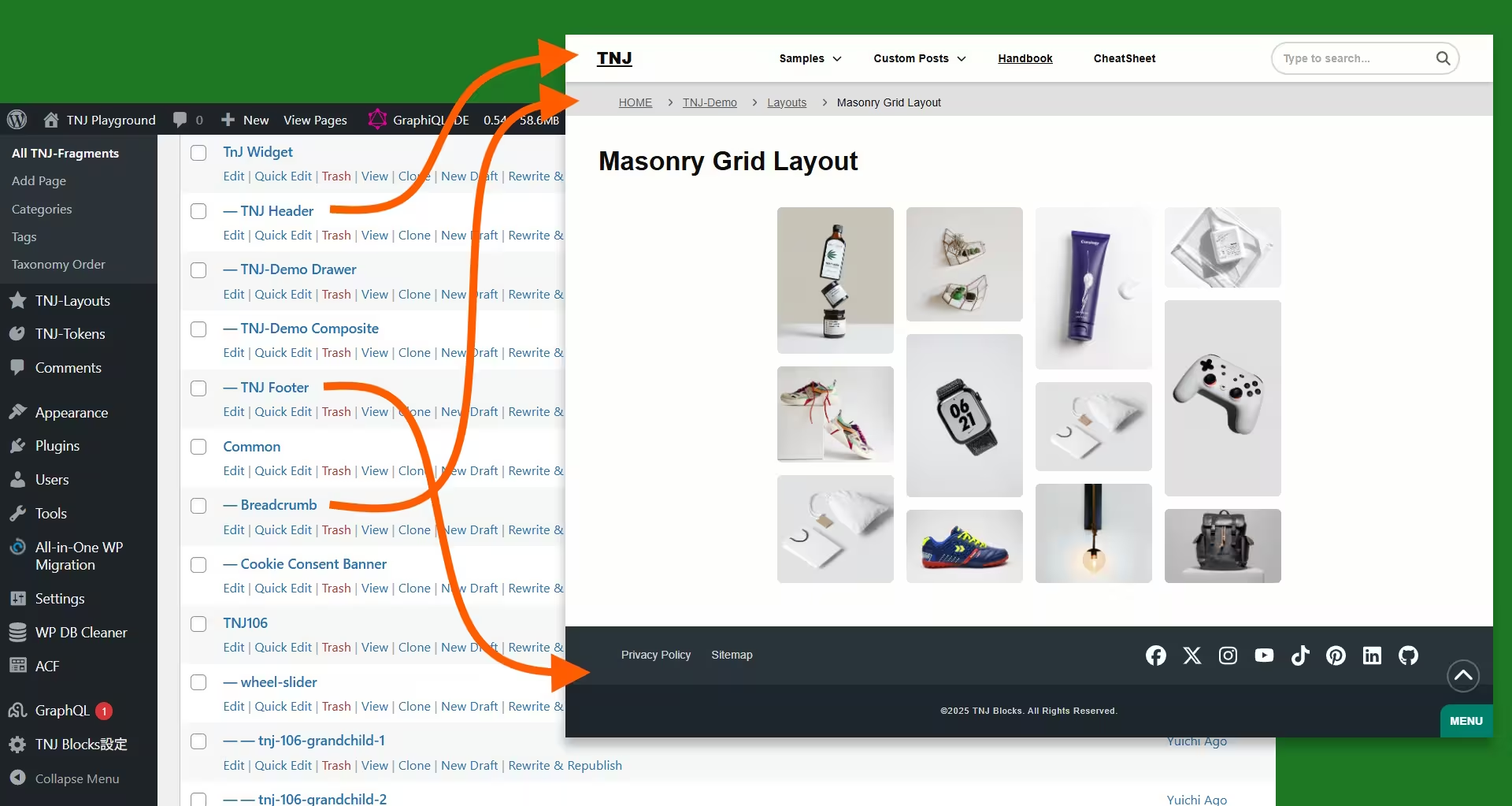
- TNJ-Fragment is a mechanism that allows you to reuse standard components such as headers and footers.
- TNJ-Fragments are special custom post types that can only be edited in the admin panel. Developers can edit them in the same way as regular posts.
- A created TNJ fragment can be inserted anywhere within the block editor as a TNJ Fragment Block.
Custom Blocks
Custom Blocks allow you to set HTML tags and attributes in detail, enabling more precise class specifications and accessibility support that were difficult with standard blocks.
Common settings for each block
Classes Settings Field
- You can specify multiple framework CSS rules separated by spaces or line breaks.
- Example: {color}-[blue] In the format {property name}-[any value], it is interpreted and applied as the CSS rule { color: blue; }. This notation allows you to specify any CSS property.
- You can also enter comments in the input field.
Attributes Settings Field
- You can specify any HTML attribute on a per-line basis.
- Some blocks have dedicated input fields for specific HTML attributes, in which case the contents of those fields take precedence.
- You can also enter comments in the input field.
Container-type blocks
- Blocks that can contain content.
- You can specify a variety of HTML tags.
- You can apply container queries.
Text blocks
- You can create any inline elements, such as SPAN tags.
- You can specify WAI-ARIA attributes to improve accessibility.
- Some blocks display some WordPress data, such as post excerpts or post_meta.
Media blocks
- These blocks create an IMG tag or PICTURE tag.
- The Picture block displays one image that matches the specified conditions from multiple images responsively.
- The SVG block displays the specified SVG code.
Form input blocks
- Blocks for creating forms and various input elements.
JavaScript-related blocks
- You can specify an external JavaScript library and write JavaScript code to apply that library to elements within the page.
CSS-related blocks
- TNJ-Blocks outputs only the CSS used within the page. For this reason, it also provides blocks that allow you to specify class names from any CSS framework you wish to use on the front end.
- Use CSS Code Block to write raw CSS code and embed CSS animations and custom styles on the page.
Generic Component Builder Blocks
- You can place general-purpose components such as breadcrumbs and categorized post lists on the block editor.
- These components are created server-side. In TNJ-Blocks, developers can pass any blocks they’ve made as building elements for these components, allowing for the generation of composite components.
- This mechanism lets developers specify detailed settings—from CSS to HTML tags and attributes—directly from the Block Editor for these generic components.
ACF block
- You can display ACF parameters and repeat fields using any block from the block editor.
Conversion Block
- Paste HTML code and convert it to a WordPress block with a single click.
- If Tailwind CSS is used in the HTML, it will be converted to classes using values similar to those of the TNJ tokens.
Example video of converting an HTML document with Tailwind CSS into WordPress blocks
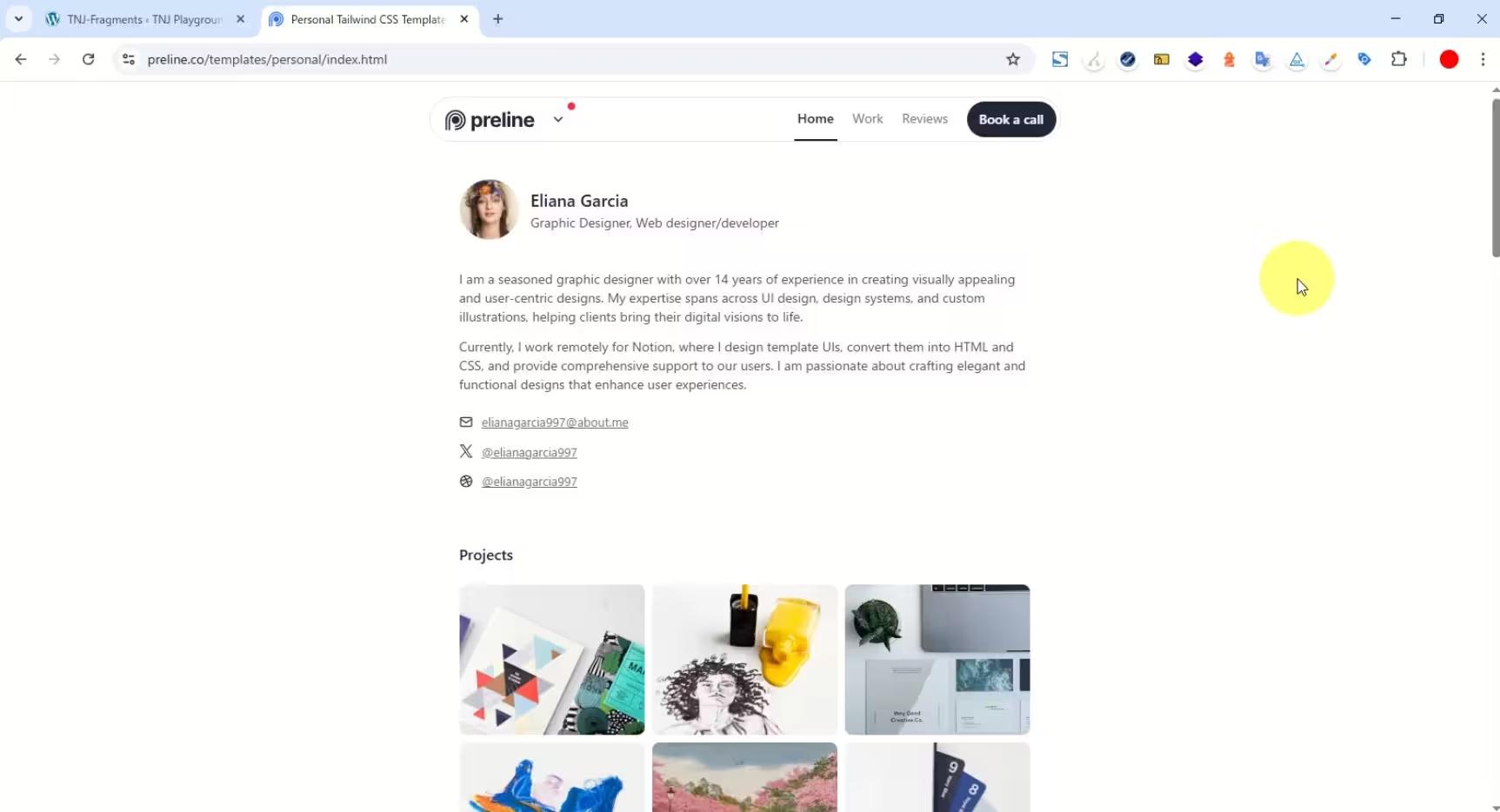
Click to play the video; there is no sound.
Significant reduction in production time with TNJ Blocks
- Share design intent across multiple team members using TNJ tokens to improve production efficiency.
- Convert HTML code into the optimal combination of blocks, eliminating the need to add multiple blocks manually.
- Encapsulate framework CSS within posts or blocks to reduce the burden of managing CSS via external files (e.g., Sass or BEM)
- Designers create the appearance of blocks, while engineers set the data within them, enabling parallel workflows.
- Once you have created components, you can copy them from the block editor and reuse them on other sites.
- Advanced implementations, such as sliders and animations using JavaScript libraries, can be delegated to specialists with the necessary expertise.
- Implementation efficiency can be improved by leveraging AI to generate HTML code using Tailwind CSS from images or design tools and converting it into TNJ Blocks.